
Post #3: How to Enable Open in Excel Functionality
Most of the standard Microsoft Dynamics AX entities have Open in Excel functionality available. However, the functionality in Microsoft Dynamics 365 allows users to open and edit their data right from the excel application and upload changed data back to the Microsoft Dynamics 365 solution. For example, see Accounts payable / Vendors / All vendors:
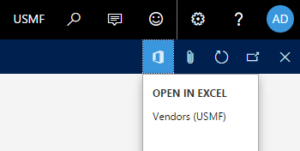
However, if you create a new custom table/form, the Open in Excel button is not enabled by default. To enable this functionality, you need to implement the following modifications:
Step #1: In your Visual Studio project, create a new element with DataEntity type, specify the element name:
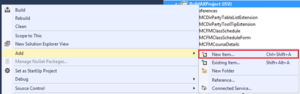
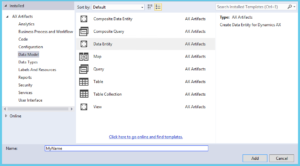
Step #2: In the opened wizard window, specify the table name related to custom entity:
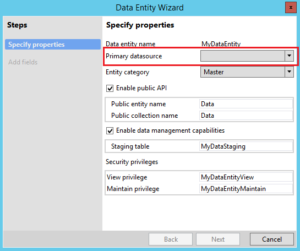
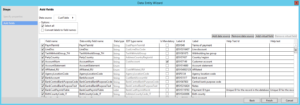
Step #3: Define a list of fields available in Excel and its properties:
Step #4: After the project is recompiled, the Open in Excel button should become available on the entity form.
I hope you're enjoying my Microsoft Dynamics 365 for Operations Technical Series. Be on the lookout for my next post regarding Upgrading Number Sequencing.
About the Author - Paul Tseranidi, PMP

Paul is a Microsoft Certified Dynamics Professional with over 10 years of extensive Dynamics AX experience from v3.0 through AX 2012, and 365 including full cycle implementations of Dynamics AX in different regions of the world. Having more than 10 Microsoft Dynamics certificates, his primary focus is on the development of applications and software modules, and project management processes of AX Implementations.