For many Dynamics GP users, the biggest question when considering a move to Business Central is simple:
What actually changes and what stays the same?
The answer, as many long‑time GP users discover, is reassuring. The accounting fundamentals do not change. Both systems follow the same underlying accounting principles and perform core financial processes in fundamentally similar ways.
What does change is how those processes are structured, accessed, and managed. Business Central introduces a more modern, flexible way of organizing finance operations, simplifying tasks and improving visibility.
As someone who spent years working with GP before learning Business Central, I’ve gone through the same experience all of our clients who move from GP to BC have of getting to know the finance functionality similarities and differences.
I recently explained them in this webinar:
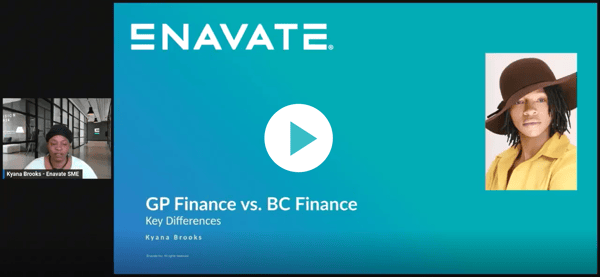
Below is a breakdown of the key similarities and differences across the Finance setup and capabilities that matter most.
Fiscal Periods: Same Concept, Different Controls
At a high level, fiscal periods in GP and Business Central serve the same purpose but they’re handled differently.
- In Dynamics GP, fiscal periods are managed in a dedicated window where you can open and close periods directly with a simple toggle.
- In Business Central, these are called accounting periods, and instead of formally “closing” periods, you often control posting by defining allowed date ranges.
What this means:
- GP gives you a clear open/close mechanism
- Business Central gives you more control over when posting is allowed, rather than a strict lock
The result is similar control, but a slightly more flexible approach in Business Central.
See the fiscal period differences side-by-side:
Posting Accounts vs. Posting Groups
This is one of the most common terminology differences and one of the easiest to understand.
- In GP, they are called Posting Accounts
- In Business Central, they are called Posting Groups
Functionally, they do the same thing:
- Define how transactions map to the general ledger
- Control how sales, purchasing, inventory, and financial transactions are posted
Key difference:
Business Central structures posting setup in a more table‑driven, modular format, making it easier to manage and extend across different transaction types.
See the side-by-side comparison of posting in GP and BC:
Audit Trails: Source Documents vs. Source Codes & Number Series
Both systems maintain strong audit traceability, but they organize it differently.
In Dynamics GP:
- Source Documents define where transactions originate
- Audit Trail Codes link transactions to processes and appear in reporting
In Business Central:
- Source Codes serve a similar purpose
- Number Series define document numbering and link transactions
- Audit trails exist but are handled more in the background
What this means:
- GP surfaces audit structure more explicitly
- Business Central still provides full traceability, but with a more automated, behind‑the‑scenes approach
See Audit tracking capabilities side-by-side in GP vs. BC:
Segments vs. Dimensions: A Shift in Flexibility
This is one of the most important structural differences.
- In GP, financial structure is built using Account Segments
- In Business Central, this is handled with Dimensions and Dimension Values
Key differences:
- Segments are embedded directly into the account number
- Dimensions are separate from the chart of accounts
Why this matters:
Dimensions allow for:
- More flexible reporting structures
- Less need to restructure your chart of accounts
- The ability to track additional attributes (division, department, etc.) independently
This is often one of the biggest improvements Business Central brings to finance teams.
See these differences side-by-side:
Chart of Accounts: Familiar Structure, More Visibility
Both systems use a chart of accounts as the foundation for financial reporting but the experience differs.
In Dynamics GP:
- Chart of accounts is primarily a list of accounts
- To see balances, users typically need to run Trail Balance reports or SmartLists
In Business Central:
- Chart of accounts is more interactive
- Users can see:
- Balances
- Account categories
- Posting setup
- Transaction details—all on one page
What this means:
Business Central turns the chart of accounts into a working dashboard, not just a static list.
See the differences side-by-side PLUS how Enavate Chart of Accounts can help you transition from Dynamics GP to Business Central:
Transactions vs. Tasks: A Language Shift
Another key difference is how actions are labeled and accessed.
- In GP, users work with Transactions, accessed through module menus
- In Business Central, these are referred to as Tasks, often accessed via search or role‑based navigation
What this means:
- Functionality is the same
- Navigation is more flexible but can feel different at first
Once users become familiar with search and bookmarks, tasks are often faster to access.
See which transactions and tasks are available in GP and BC:
Role Customization: More Flexible in Business Central
Both systems allow user customization—but Business Central takes it further.
In Dynamics GP:
- Changing roles can impact or reset user customizations
In Business Central:
- Users can switch roles (e.g., accountant, finance manager) without losing pinned tools or shortcuts
- Role‑based homepages dynamically update while preserving personalization
What this means:
Business Central makes it easier for users to:
- Adapt their workspace
- Customize views
- Maintain efficiency across roles
See how to change roles in Dynamics GP and Business Central:
Bringing It All Together: Familiar Foundation, Modern Structure
For GP users evaluating Business Central, the most important takeaway is this:
- The accounting logic stays the same
- The structure becomes more flexible, connected, and user‑friendly
Processes like journal entries, reporting, posting, and auditability all remain intact but Business Central delivers them in a way that:
- Reduces clicks and navigation
- Improves visibility
- Enables more scalable reporting
- Supports evolving business needs
If you’ve spent years working in Dynamics GP, Business Central won’t feel unfamiliar, it will feel like an evolution.
Different terminology. Different navigation.
But the same financial foundation—built to do more.